Without Prism
Your export can lose its edge
A clip that looks smooth on your computer can feel softer after it is compressed for a social feed.
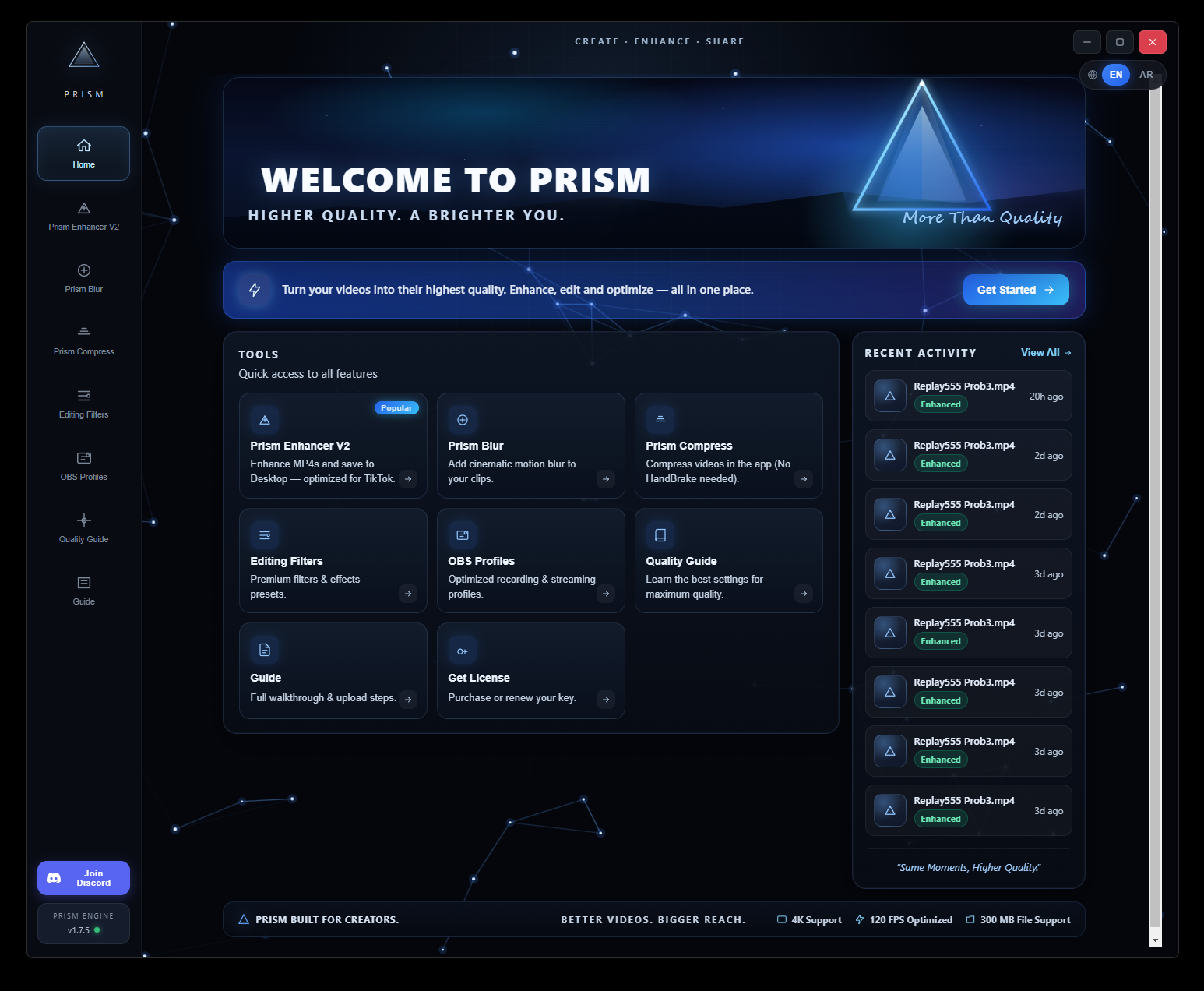
Prism Enhancer is a focused Windows tool for preparing clearer, smoother video before it reaches TikTok. Open it, add a clip, and export.
The gap, closed
A clip that looks smooth on your computer can feel softer after it is compressed for a social feed.
Use one clear workflow to enhance and export your clip before uploading it through the TikTok app.
See the difference
Compare the softer 20 FPS version with the sharper, smoother Prism-enhanced result.
Everything included
Patch your videos so they stay sharp when you upload to TikTok. Drop an MP4, click Enhance, and get the file on your Desktop.
The main tool. Simple drop-and-enhance. MP4 videos, up to 300 MB, saved automatically to Desktop.
Add cinematic motion blur to your clips, right in the app. Queue multiple videos and let Prism process them one by one.
Shrink large videos without installing HandBrake. Perfect before enhancing, or to get closer to TikTok's size limit.
Also in every copy
Ready-made presets for Adobe Premiere and After Effects. Download and import in one click.
Quality-ready recording and streaming profiles. Download, import into OBS, and start.
Clear steps for every tool — enhance, blur, compress, filters, OBS, and how to upload.
The best settings for maximum TikTok quality, explained simply.
Your videos stay on your computer. Nothing is uploaded to process them.
Switch language anytime. The whole app follows.
Enhance in Prism, then upload with the Prism Chrome extension on TikTok Studio. No extra export.
New versions download inside the app. You always stay up to date.
Three steps
Choose the video you want to prepare. No scripts or complicated setup.
Start the enhancement pass and follow progress in one focused window.
Save the finished file, then upload it to TikTok as usual.
Product details
Prism keeps the journey short so creators can spend less time configuring software and more time making the next clip.
Prism Enhancer
Windows .exeGet the Windows tool and prepare your next TikTok video with a faster, simpler process.
Everything included
Your price and payment details are needed before this can accept orders.
Questions
Prism Enhancer gives you a focused desktop workflow for preparing and enhancing video before you post it to TikTok.
Yes. Prism Enhancer is supplied as a Windows .exe application.
No. The workflow is intentionally simple: add a clip, run the enhancement, and export the result.
No. Prism Enhancer is an independent product and is not affiliated with or endorsed by TikTok.